04 - Register DataLens on CloudXUpdated 5 months ago
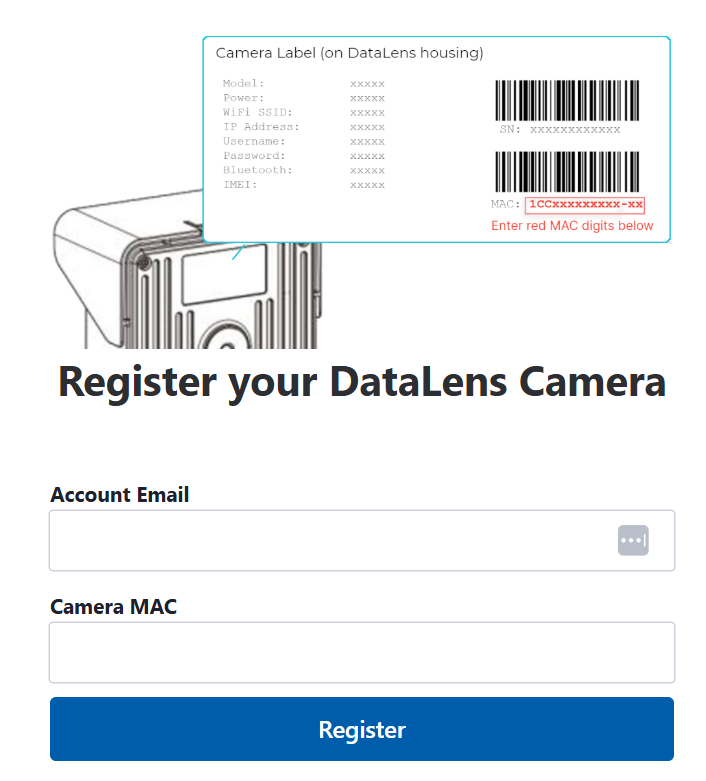
To register your DataLens camera on the CamDo CloudX platform, go to: https://portal.cam-do.com/datalens

- Enter your email address. If you already have a CloudX account, use the same email address from your existing account.
- Enter you camera's MAC address. This is printed on the back of the camera on the silver sticker under the second barcode as shown below.
- Click "Register".
- You will be prompted to choose a subscription that will only start AFTER the free trial period.